Workflow Automation for Microstock Contributors

Microstock contributors face a strict operational constraint: layout overhead. Preparing a 100-icon asset pack, building generative background patterns, or organizing massive thematic asset bundles manually consumes hours that should be spent on actual illustration.
This guide explains how to use Arrange Master - a professional CEP plugin for Adobe Illustrator - to automate these specific tasks utilizing algorithmic object arrangement.
1. Accelerating Icon Set Production
Current commercial trends on platforms like Adobe Stock, iStock, and Shutterstock favor high-volume asset packs. A set containing 50 to 100 icons generates higher search visibility and commercial value than isolated graphics.
The Alignment Problem
Manually arranging 100 icons onto a single artboard presents two technical problems:
Standard Illustrator alignment tools operate on bounding boxes independently per row or column, requiring multiple manual passes.
Icons with varying aspect ratios create uneven negative space when distributed across a rigid grid.
The Solution: Algorithmic Grid Layouts
The Grid Layout engine in Arrange Master calculates cell dimensions and centers artwork automatically, eliminating manual distribution.
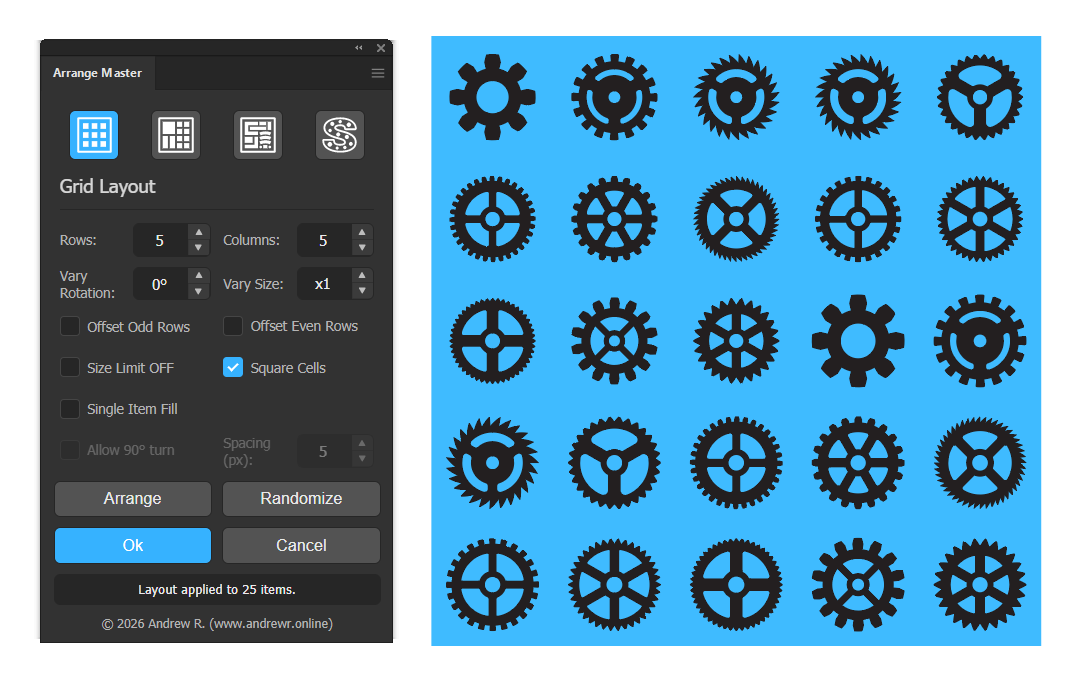
Select the vector icons and a background container path.
Open the Grid Layout tab.
Define the structural matrix using the Rows and Columns parameters.
Enable the Square Cells constraint. This feature overrides proportional cell mapping, forcing every grid cell into a perfect square and mathematically centering the entire matrix within the container. This guarantees uniform margins regardless of individual icon dimensions.
Click Arrange.
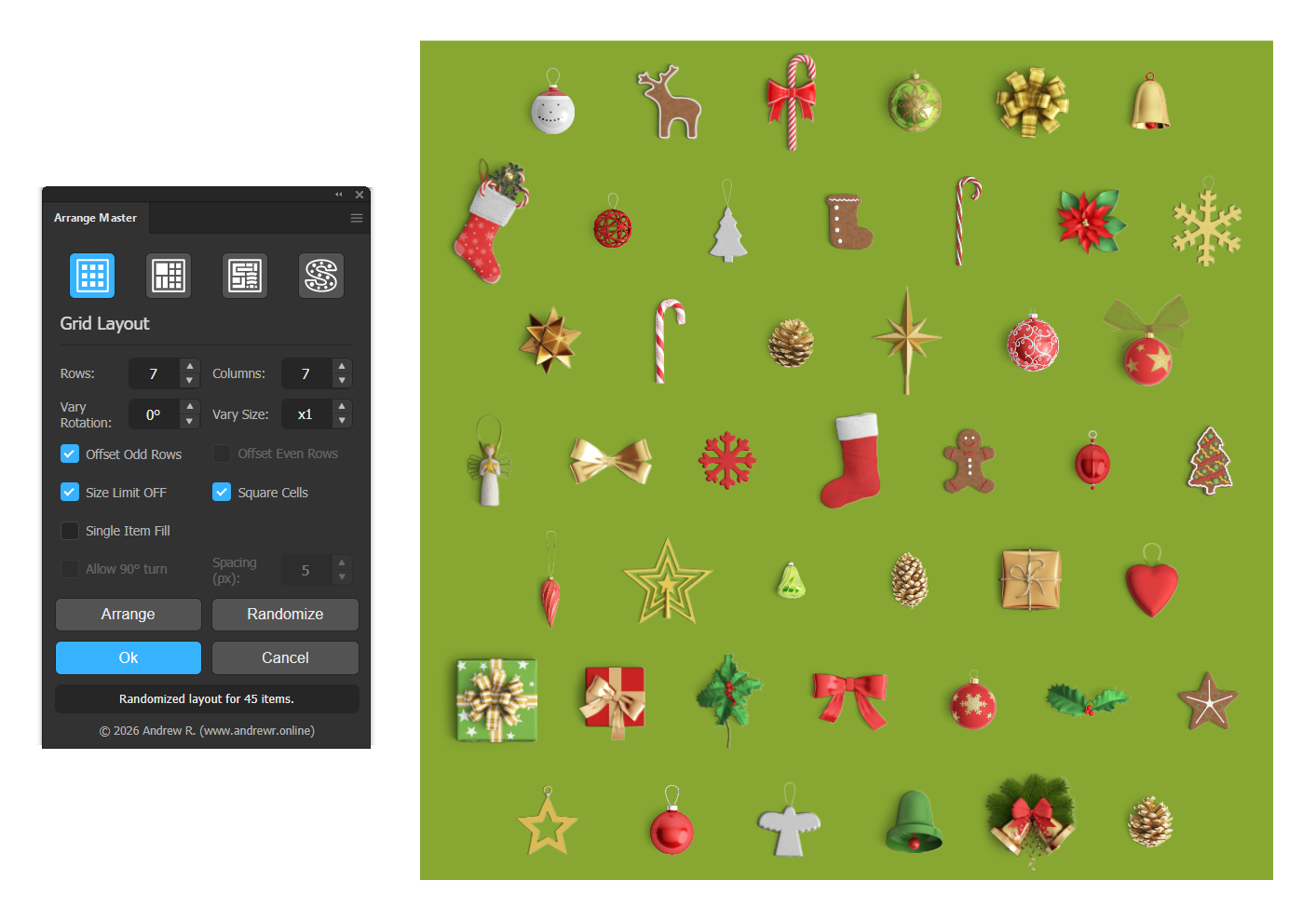
For hand-drawn vector assets, enabling Vary Rotation and Vary Size applies controlled mathematical mutation across the grid while maintaining strict cell boundaries.
2. Generative Vector Design Without JSX-Scripts
Creating abstract backgrounds, scatter patterns, and decorative filler textures typically requires custom scripts or tedious manual cloning. Arrange Master converts Adobe Illustrator into a generative environment utilizing its Shape Respect and Greedy Layout engines.
Unlike basic scatter scripts, the plugin provides multiple mathematical approaches to pattern generation.
Ordered vs. Organic Generation:
Shape Respect with disabled Dense Packing: This uses a grid-based algorithm. If you need to fill a specific container (like a bold letterform or a brand logo) with smaller icons in a structured, orderly fashion, this mode calculates precise, collision-free coordinates.

Chaotic Mode & Single Item Fill: To generate organic scatter patterns, disable the grid logic. By activating Chaotic Mode or using the Single Item Fill function combined with Vary Rotation (e.g., 360°), the plugin calculates random coordinate placements.
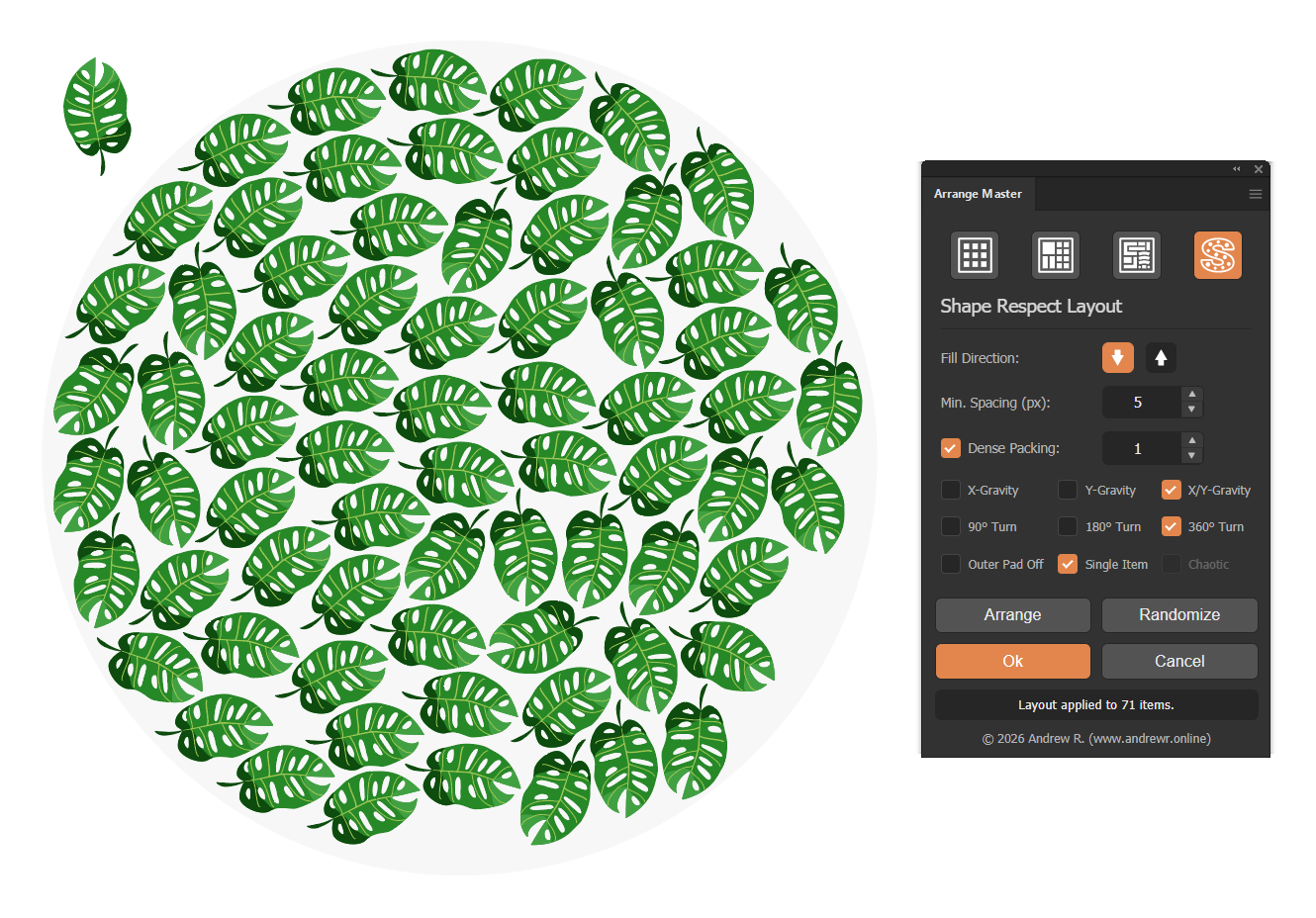
To prevent object overlapping during generative tasks, activate the Dense Packing (True-Shape Nesting) engine. The algorithm will analyze the exact vector geometry of the scattered items and interlock them perfectly, ignoring standard bounding boxes. If the resulting pattern requires adjustment, clicking Randomize shuffles the insertion sequence and instantly generates a new mathematical variation within the same active session.
3. Building Large-Scale Bestselling Asset Bundles
Stock contributors know that massive, thematic bundles (e.g., "100 Isometric Camping Elements" or "200 Flat Design Office Objects") are consistent top-sellers. However, assembling hundreds of disparate objects into a single, cohesive, and dense presentation file is highly labor-intensive.
Arrange Master offers two distinct mathematical engines to automate this compilation, depending on the asset type.
Scenario A: Packing Raster and 3D Renders
When bundling raster graphics (such as PNG isolates, 3D renders, or UI mockups), True-Shape algorithms are inapplicable because rasters lack vector path data.
The Solution: Knolling Layout
Import all raster assets and define a main container frame.
Select the Knolling Layout tab.
Enable Fit to Container.
Set the Min. Spacing parameter.

The engine utilizes the Maximal Empty Rectangles (MER) algorithm. It calculates the total required area, solves the underlying quadratic equation, and automatically scales all raster items proportionally. The objects resize to fill exactly 100% of the container’s usable space, maintaining uniform margins between every rectangular bounding box.
Scenario B: Packing Complex Vector Illustrations
For pure vector bundles containing diverse, irregular shapes (e.g., character poses, floral elements, or mechanical parts):
The Solution: Dense Packing (True-Shape Nesting)
Select the vector illustrations and the container.
Open Greedy Layout and enable Dense Packing.
Utilize the Evolution Stepper (setting it between 5 and 15 generations) to allow the Genetic Algorithm to calculate the most efficient packing sequence.
Click Arrange.

The true-shape engine executes a deep vector path analysis. It identifies concavities and internal negative space, interlocking the irregular illustrations into a dense, visually cohesive block. This eliminates dead canvas space, making the final asset bundle look highly professional and ready for upload.
Summary
Automating layout tasks eliminates the most repetitive phase of vector asset production:
Grid Layout replaces manual alignment when building large stock icon sets.
Dense Packing & Mutation enables code-free generative vector patterns for backgrounds and textiles.
Knolling Layout automatically scales and packs raster and vector portfolio items into balanced presentations.
To test these tools on your own artwork, download the free demo panel or read the complete technical documentation at andrewr.online.