Arrange Master 1.3.1: Automating Prepress with Multi-Layer Retention

Prepress workflows in Adobe Illustrator have a persistent bottleneck: the layer dilemma. When preparing files for print and cut, designers must keep PRINT, CUT, OR and MARKS on strictly separated layers. However, standard nesting scripts require users to group these elements beforehand to move them together. This manual grouping destroys the layer hierarchy, requiring hours of manual sorting after the layout is generated.
Arrange Master v1.3.1 eliminates this conflict. The new update allows true-shape nesting without altering your original layer structure.
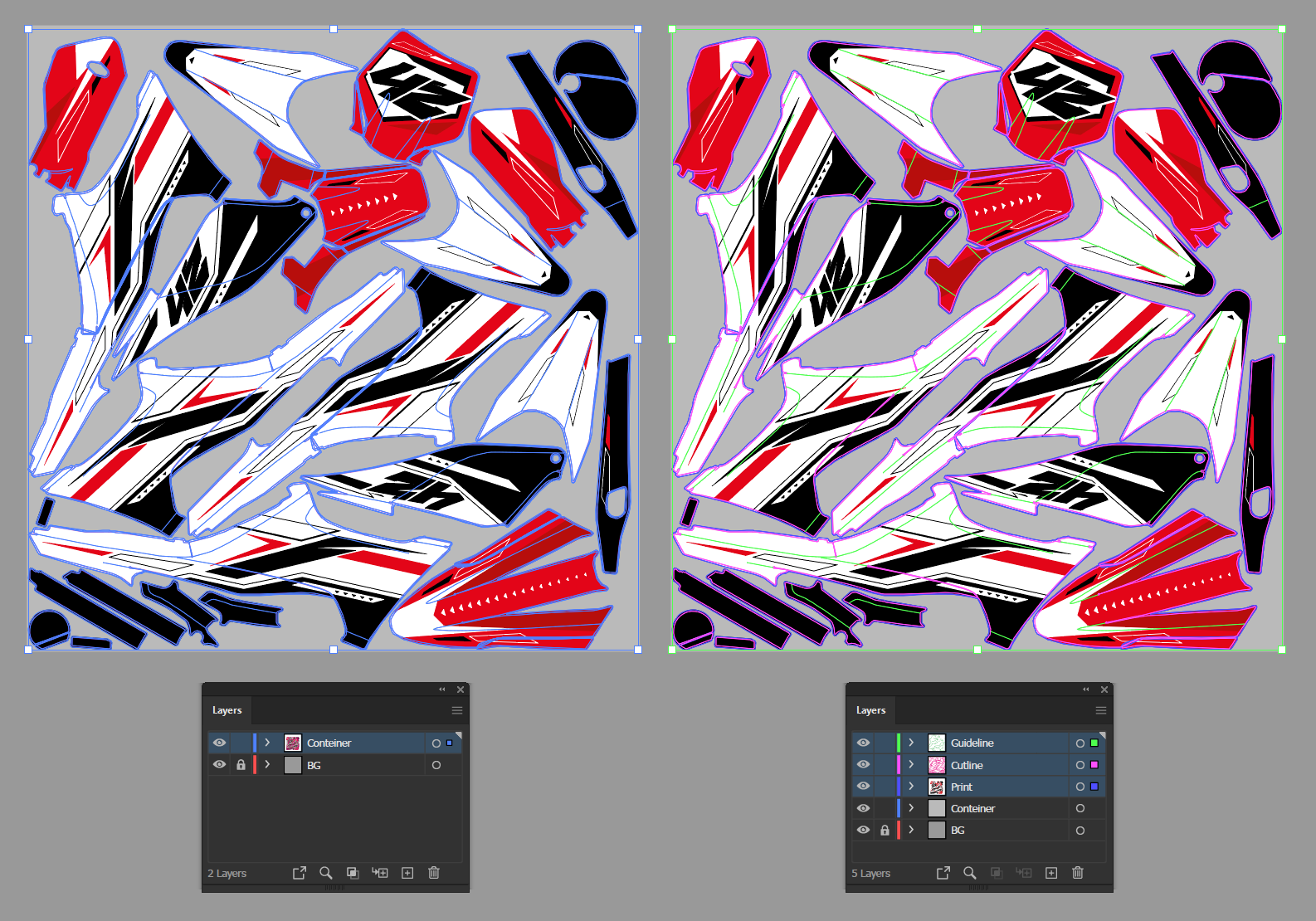
Multi-Layer Retention via Auto-Clustering
The core of the 1.3.1 update is the Auto-Clustering system. This system bridges the gap between layout automation and file organization.
Arrange Master analyzes the center of mass of your selected objects. If paths intersect- for example, a cut contour overlapping a printed graphic and a QR code - the algorithm binds them into a temporary cluster. The nesting engine calculates the optimal placement using these clusters.
When you click Ok to finalize the session, the plugin reads the initial metadata and returns every individual path to its original layer. The result is a dense, nested layout where print data and cut paths remain perfectly separated.
DOM Processing Optimization
Processing large-scale print runs requires efficient memory management. For version 1.3.1, we rewrote the Adobe Illustrator DOM (Document Object Model) interaction cycles.
When generating layouts for 1000+ elements, the session completion commands (Ok and Cancel) execute significantly faster. By minimizing read/write requests to the Illustrator API, the plugin prevents application freezes during the final object placement phase.
Version Comparison Summary
The table below outlines the architectural shifts between versions:
| Capability | Prior Versions | Arrange Master v1.3.1 |
| Layer Structure | Required manual grouping and re-sorting | Full Multi-Layer Retention (Auto-layers) |
| DOM Performance | Slower termination on 500+ objects | Optimized cycles for 1000+ objects |
Get the Update
Stop rebuilding your Illustrator layers after every layout iteration. Arrange Master v1.3.1 provides the density of algorithmic nesting while respecting the strict layer requirements of modern prepress standards.
If you already own a license, this update is free. For new users, Arrange Master is available as a one-time purchase with a lifetime license.