Arrange Master 1.5.0: A New Genetic Algorithm and Better True-Shape Nesting

Arrange Master 1.5.0 brings several changes to Dense Packing, Single Item Fill, Shape Respect Layout, and the plugin interface.
The main focus of this update is Material Optimization. I wanted Arrange Master to explore more nesting combinations, make better use of irregular vector contours, and give designers more control over the final occupied area.
Here is what has changed and how to get the most out of the new version.
1. A Stronger Genetic Algorithm for Dense Packing
The Dense Packing engine now uses an improved Genetic Algorithm with a wider range of mutations, placement strategies, and optimization techniques.
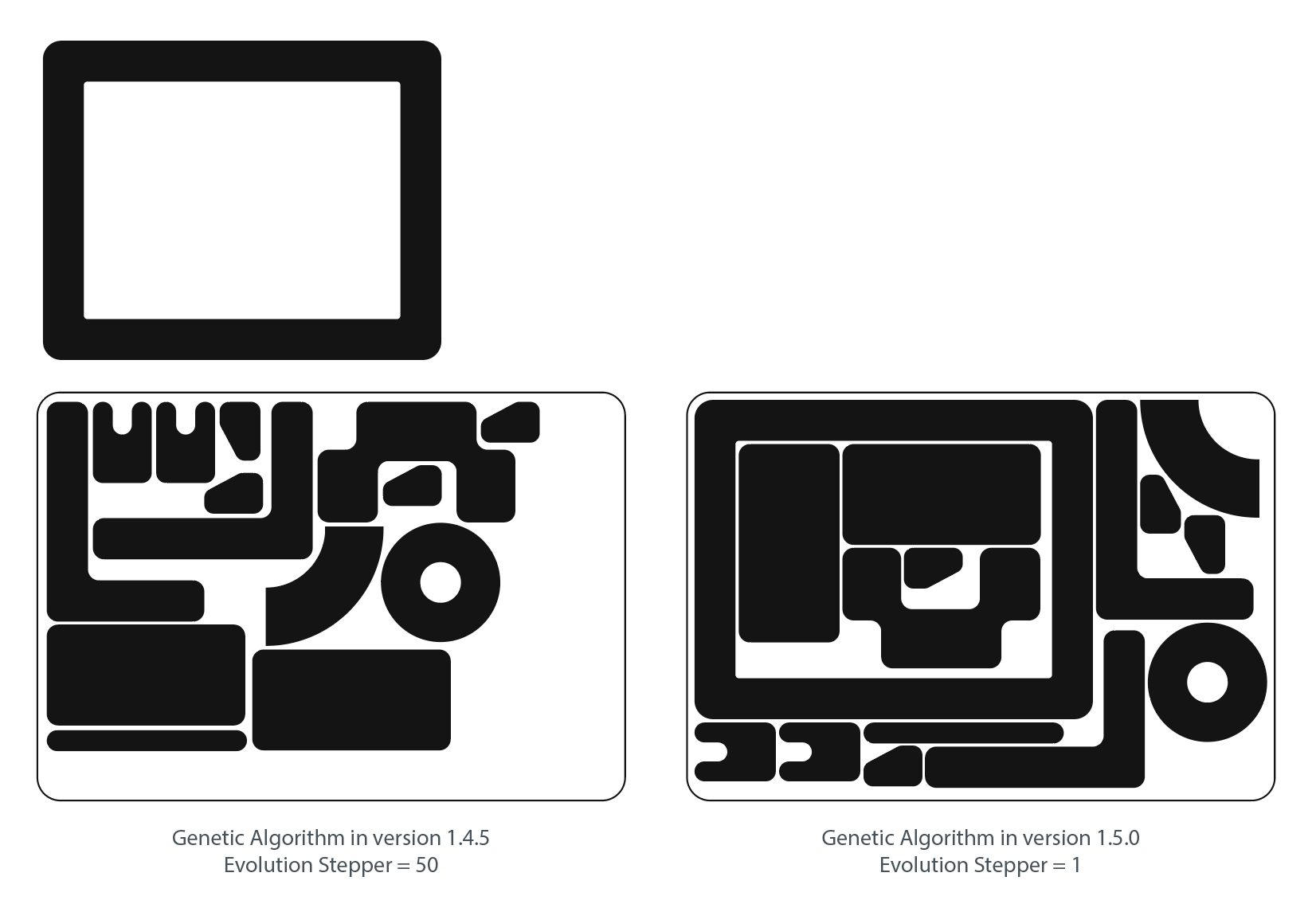
Previously, the algorithm could settle on one or two promising arrangements and continue making minor changes without discovering a better layout. Version 1.5.0 explores more combinations of object order, rotation, and placement.
The Chromium Math Engine uses Vector Path Analysis to evaluate the actual contours of your objects, allowing the nesting algorithm to fit irregular shapes into available spaces instead of treating every item as a rectangle.
The result is particularly noticeable when working with mixed vector shapes.
The Evolution Stepper now has a greater influence on the final result. Higher values give the Genetic Algorithm more opportunities to discover tighter arrangements. They also require more calculation time, so I recommend starting with a low value and increasing it when the initial result needs further improvement.
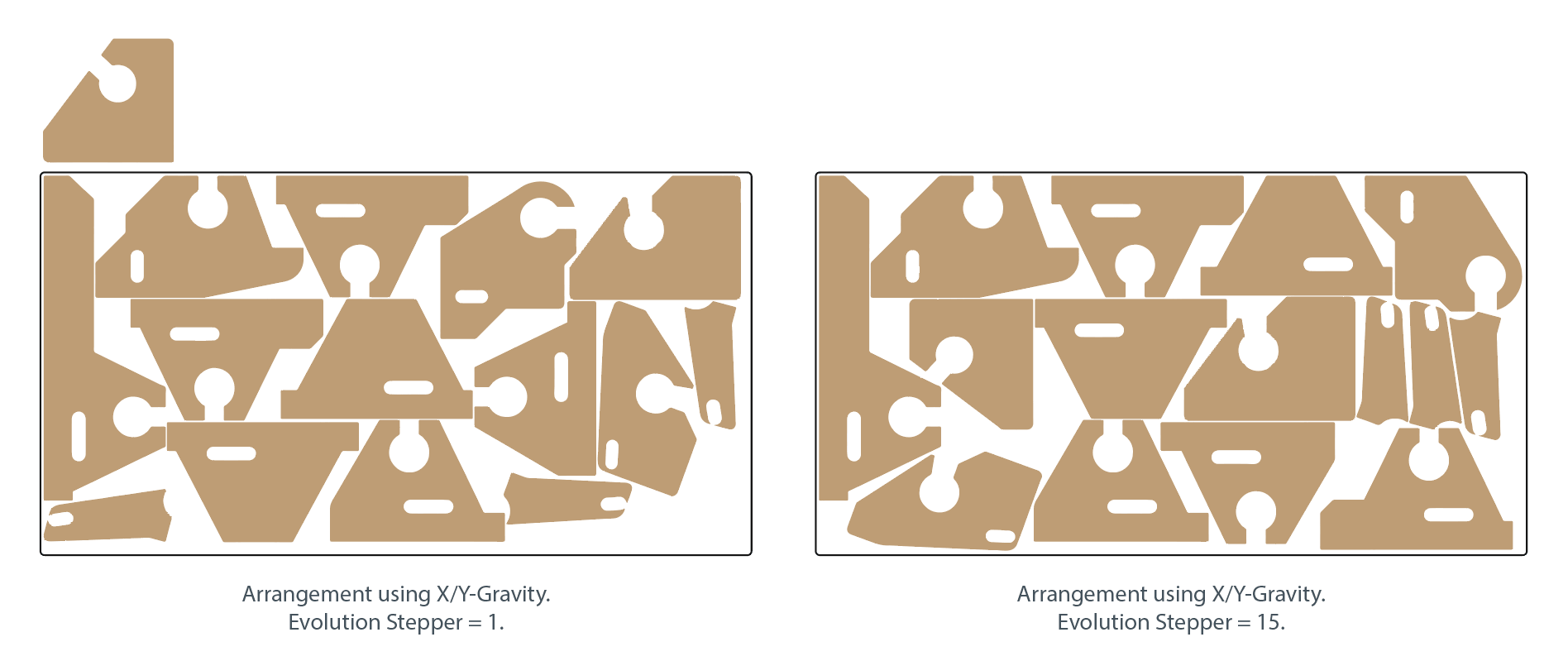
A higher Evolution value improves the search effort, although it cannot guarantee a better arrangement on every individual run.
2. Better Gravity-Based Compaction
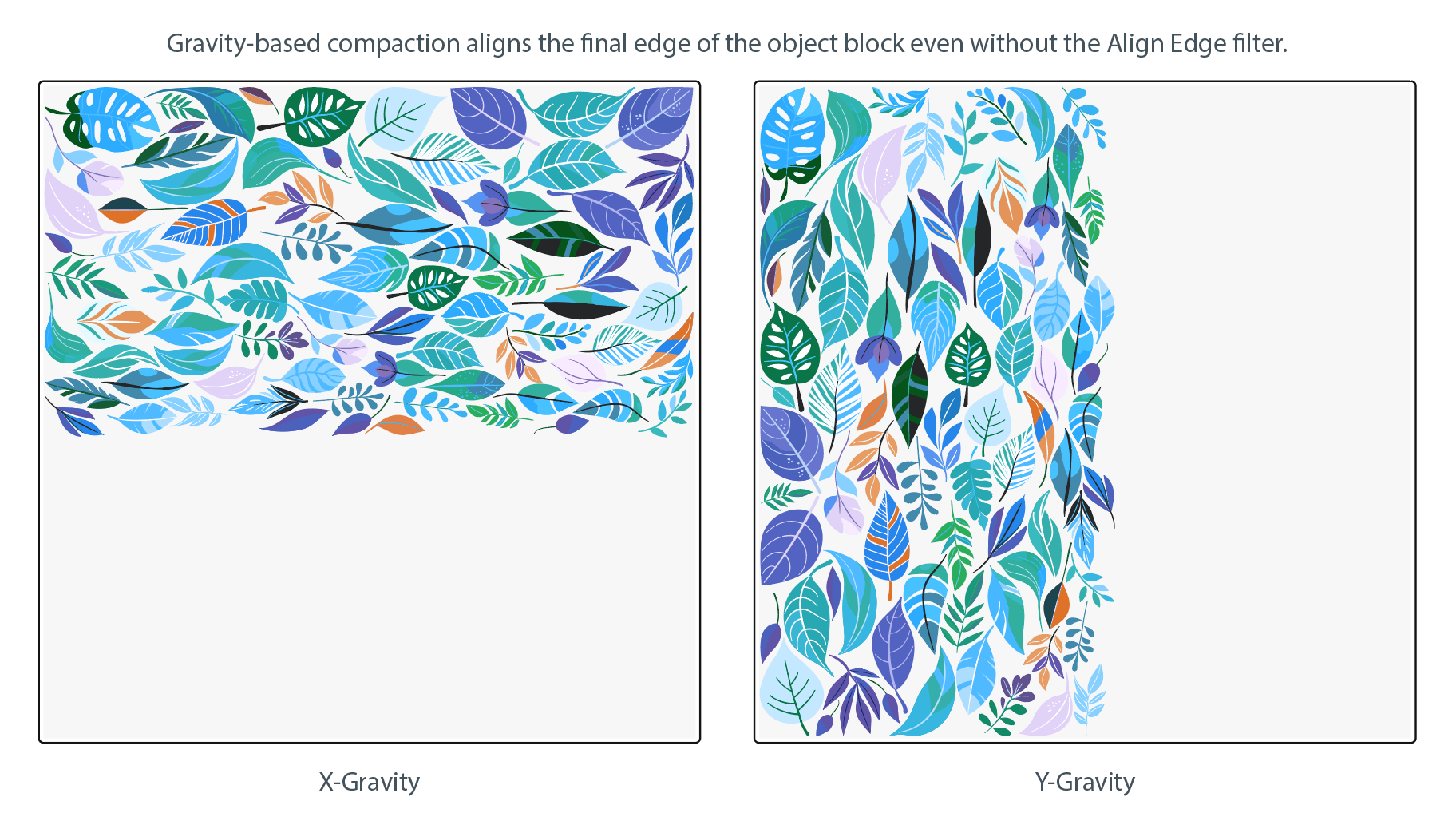
X-Gravity and Y-Gravity now work more effectively with the contours of irregular objects.
When using a rectangular container, the engine attempts to form a compact block with a more flat final edge. This is useful for sticker sheets, textile, and CNC/Laser Cutting Preparation, where unused material along the end of a layout directly affects production costs.
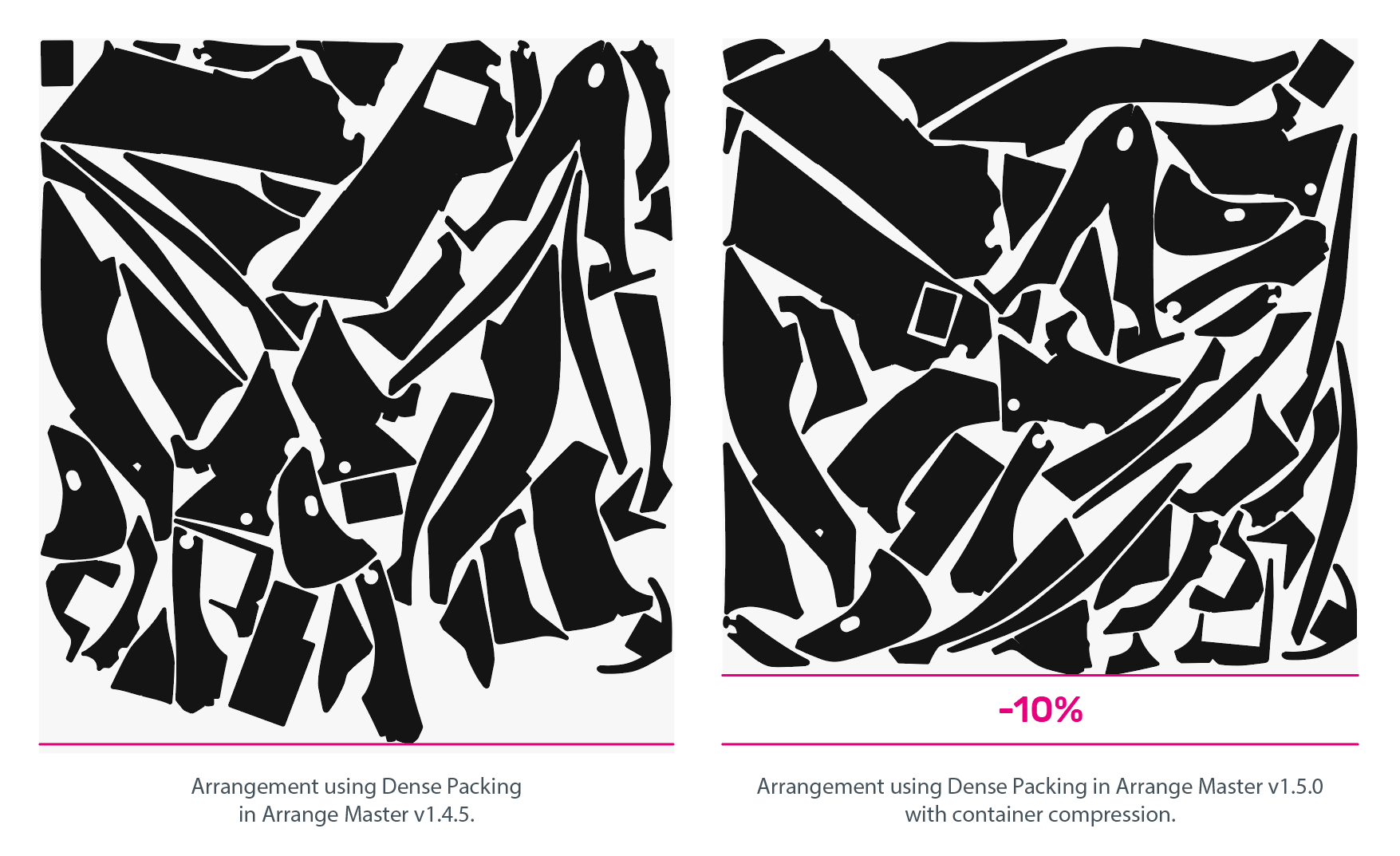
X/Y-Gravity has also received automatic final-edge alignment.
Previously, combined gravity often produced a recognizable diagonal edge at approximately 45 degrees. The updated algorithm can reorganize the final arrangement to reduce this beveled edge and create a more compact block.
Working-height reduction has also been improved, allowing the nesting algorithm to explore arrangements that occupy less of the available container height.
3. Smarter 360° Turn
The 360° Turn option in Dense Packing now makes more deliberate use of rotation.
Instead of repeatedly rotating objects without regard to the surrounding layout, the algorithm gives preference to useful orientations and searches for alternative angles when a suitable opening becomes available.
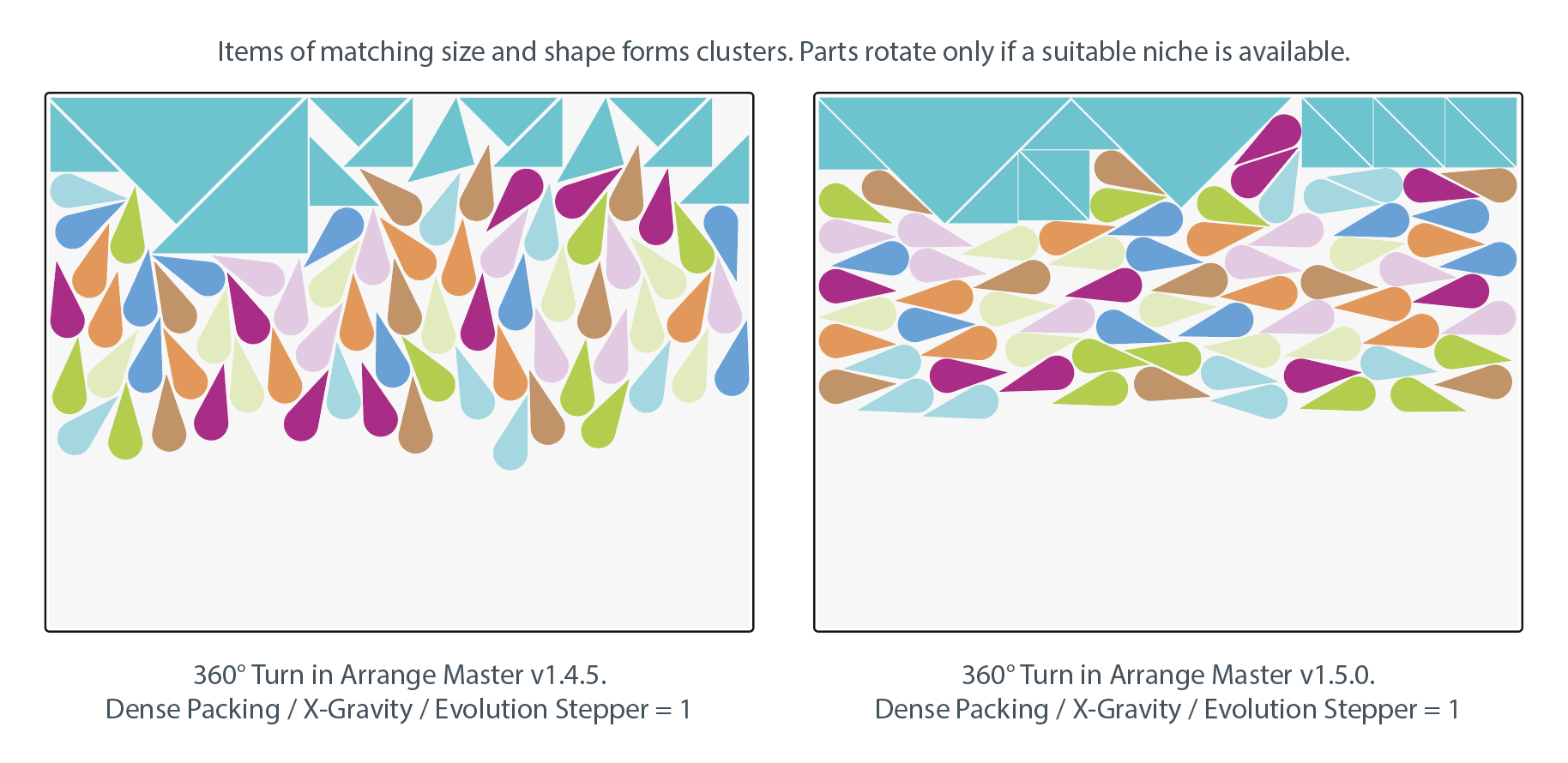
For example, an irregular object may fit poorly in its original orientation but slide into a narrow space between two previously placed objects after a 15° or 30° turn.
This approach helps the engine use Free Rotation without turning every arrangement into a collection of unnecessarily tilted objects.
4. Single Item Fill Now Understands Object Shape
Single Item Fill has received a substantial update.
A new morphological filter analyzes the shape of the original vector object before choosing an arrangement pattern.
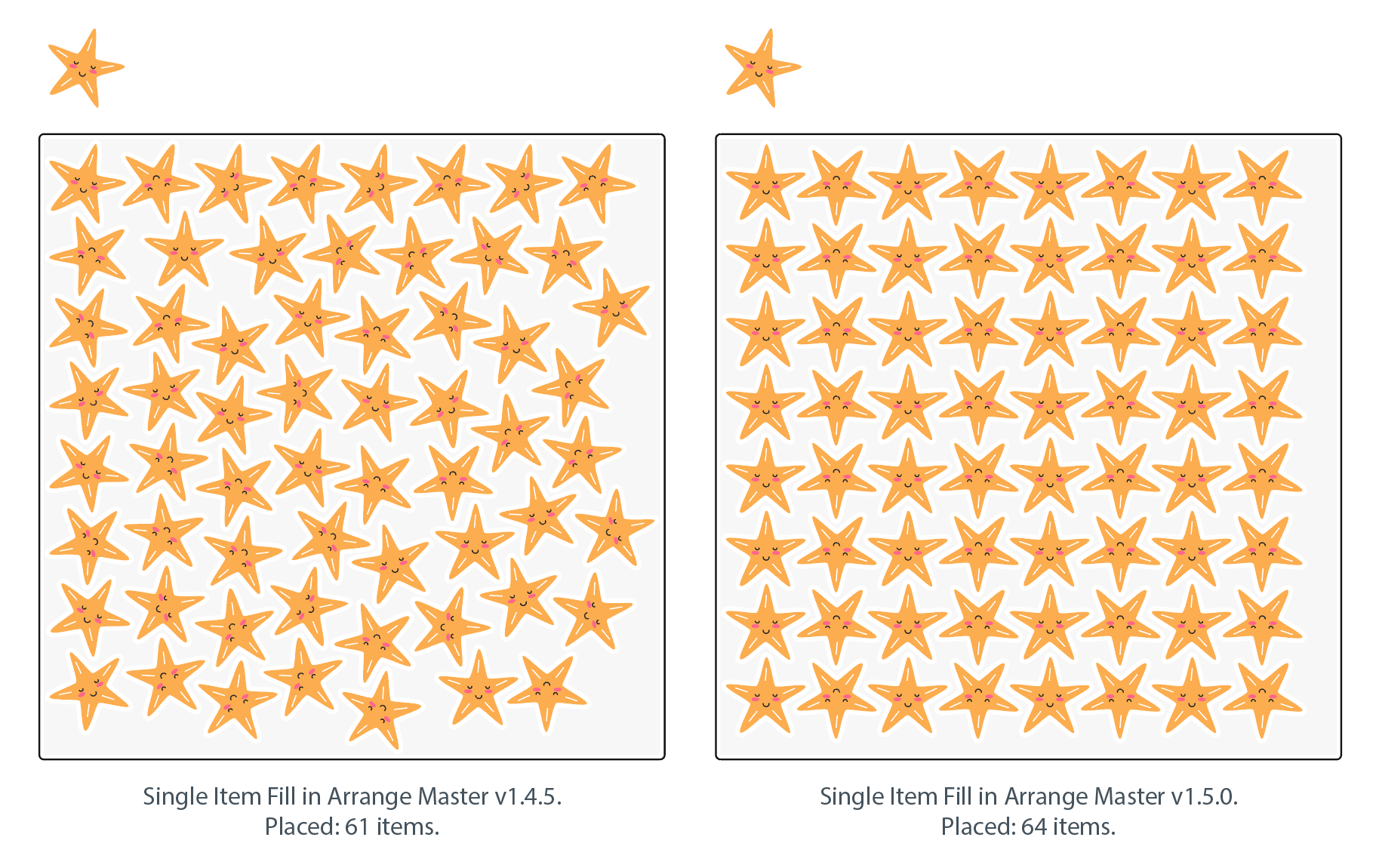
Depending on the geometry, the engine can use aligned rows, staggered or checkerboard placement, alternating rows rotated by 180°, herringbone patterns, or parquet-like arrangements.
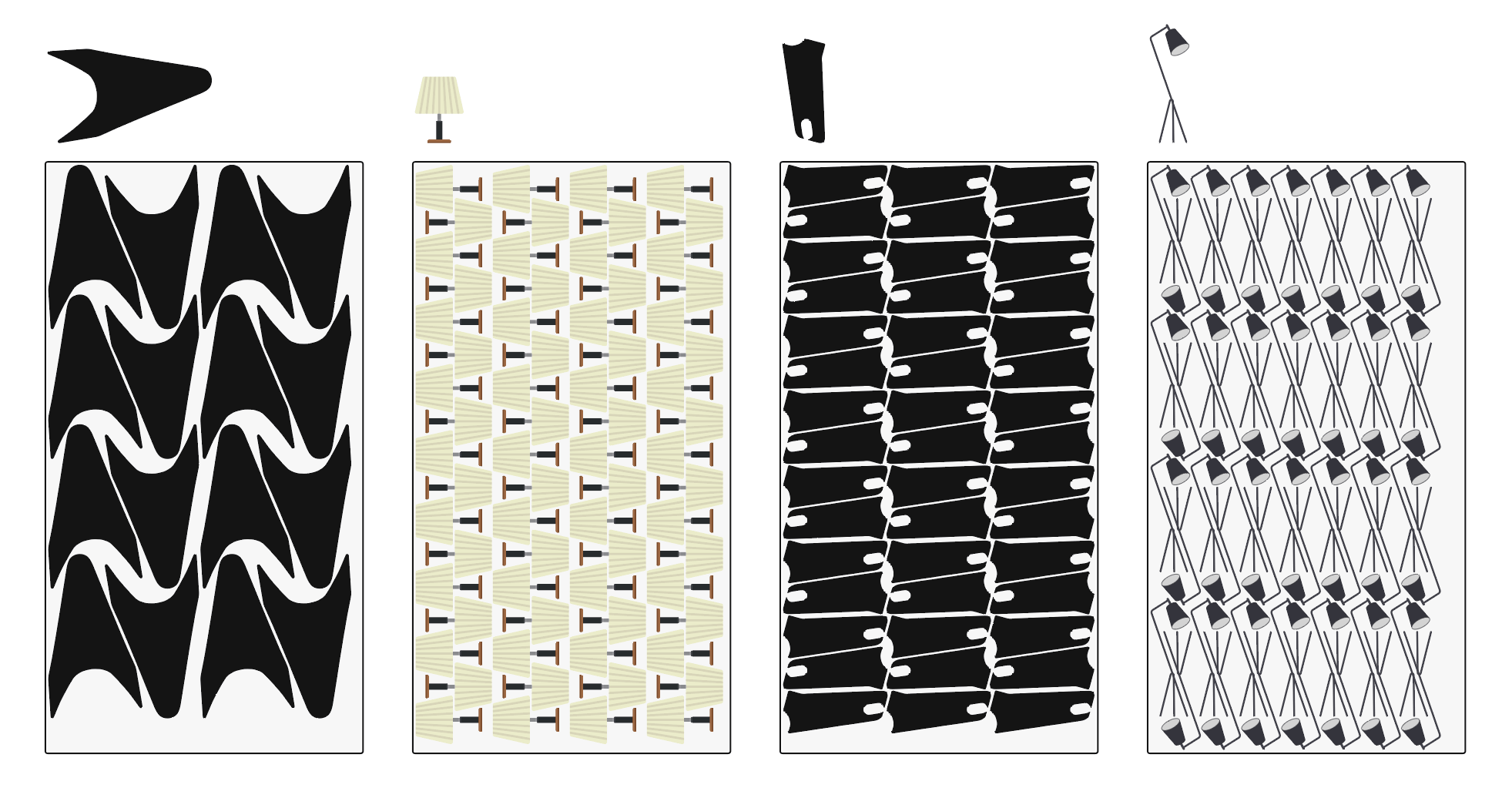
This is useful for two different tasks: filling a material sheet with as many copies as possible, and creating structured decorative patterns from a single vector object.
The resulting arrangement depends on the source shape, the selected rotation settings, Min. Spacing, and container dimensions.
5. More Container Types in Shape Respect Layout
Shape Respect Layout is now easier to use with complex Illustrator documents.
Version 1.5.0 expands support beyond ordinary Paths and Compound Paths to compatible groups, Clipping Masks, symbols, and mixed structures containing clipped and unclipped artwork.
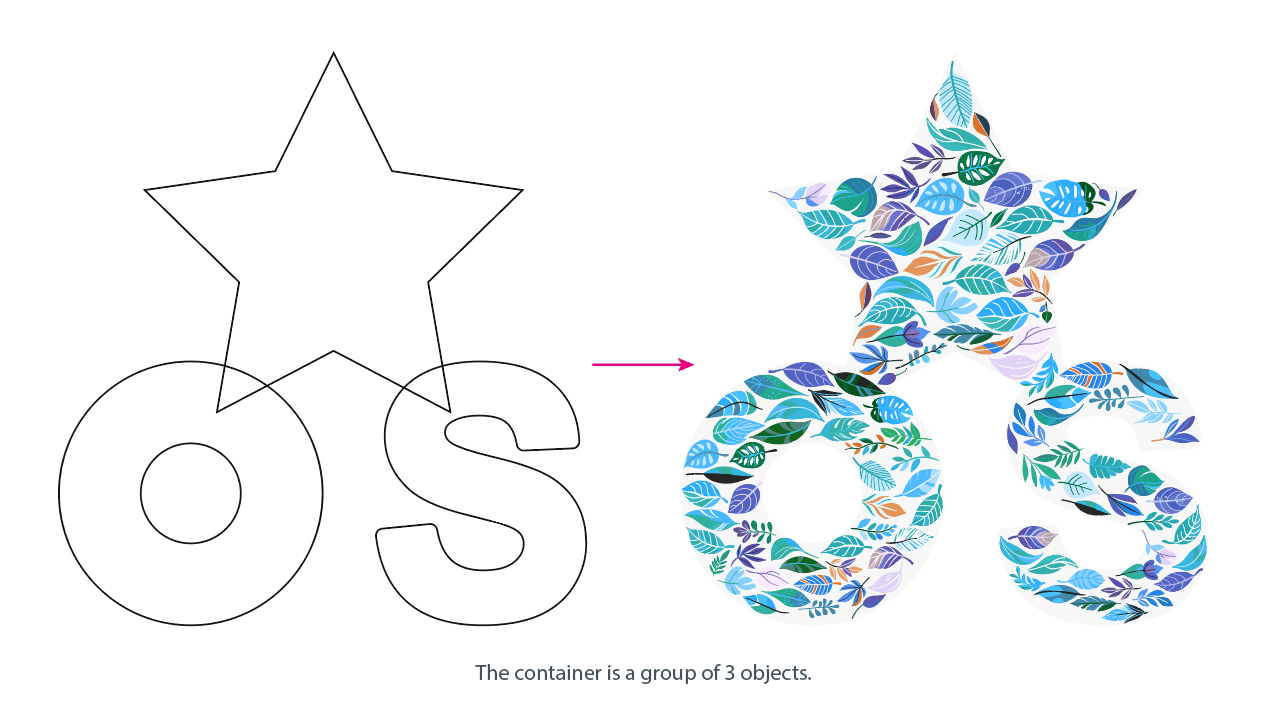
The engine analyzes the available vector boundary, including supported holes and separated subpaths.
This means you no longer need to convert every grouped container into a single Compound Path before attempting a layout.
It is particularly useful when working with imported PDF artwork, packaging outlines, outlined typography, and irregular decorative shapes.
6. Finer Control Over Min. Spacing
One of the most frequently requested interface improvements was better control over small spacing values.
The Min. Spacing stepper now supports a gradual transition from whole numbers to fractional values:
1 → 0.9 → 0.8 → 0.7 → ... → 0.1 → 0.09 → 0.08 → ... → 0.01
The same progression works in reverse.
You can still enter a custom value manually, but adjusting small gaps no longer requires repeatedly selecting and rewriting the number.
Min. Spacing follows the measurement units of your current Illustrator document, which is important when preparing files for printing, CNC machining, and laser cutting.
Try Arrange Master
Arrange Master 1.5.0 is available for Adobe Illustrator. If you want to test the new Genetic Algorithm and True-Shape Nesting capabilities with your own artwork, you can download the free demo. The full version includes all Dense Packing controls, Single Item Fill, editable vector output, and the complete set of layout tools. You can learn more and purchase Arrange Master on the official website.